Martus vs. Vena
Budget, Forecast, and Report in One Collaborative Cloud Solution, Not in Excel.
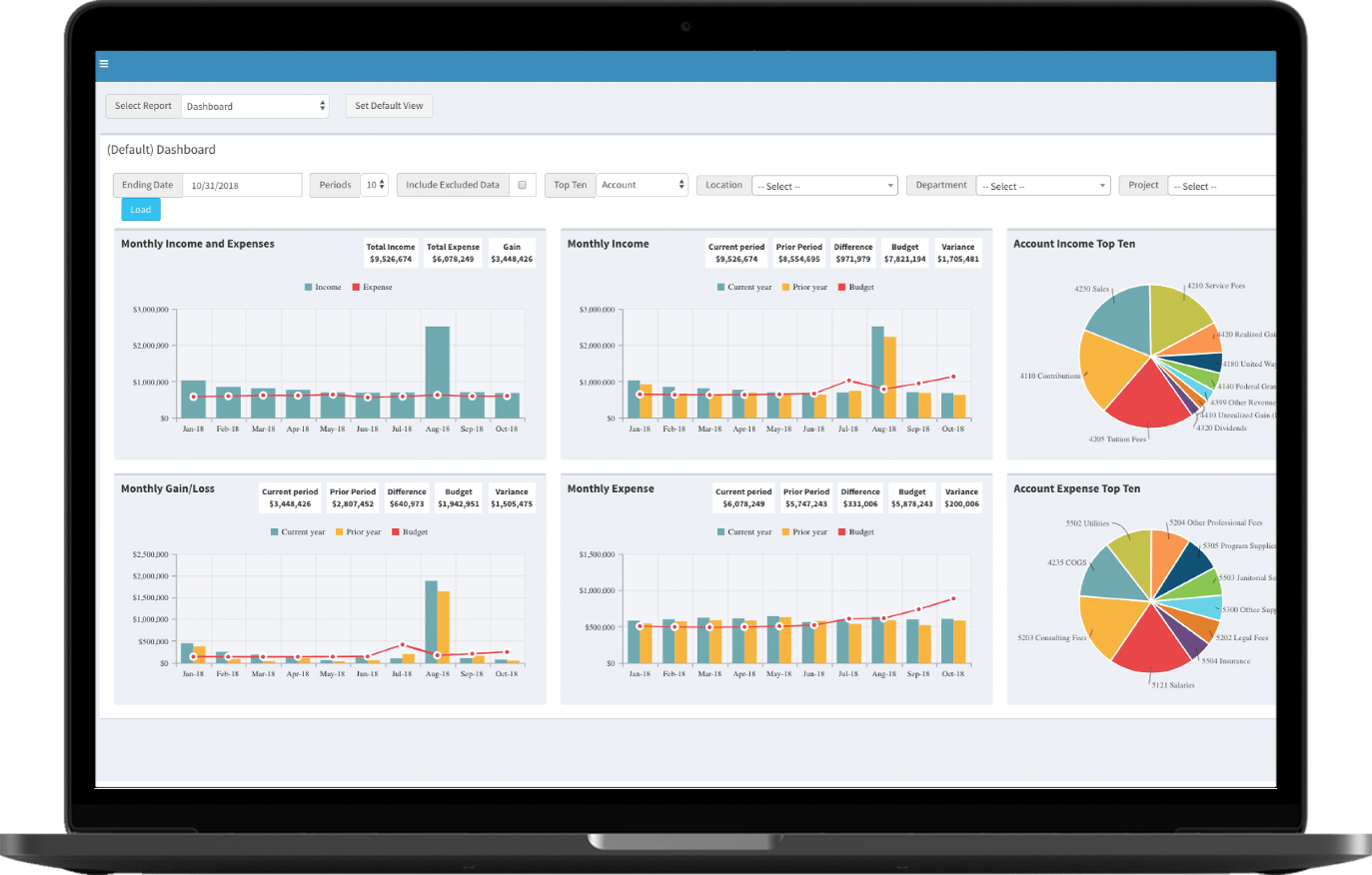
Account Expense Top 10
Edit Pay Type
Name
Account
Tax ?
Category
Martus brings budgeting, forecasting, and reporting into a cloud-based solution designed for finance teams and the people who contribute to the budget. Connect your accounting data, give department leaders a clear way to participate, and keep planning focused on the decisions behind the numbers.
Vena adds a central database, workflows, and AI to an Excel-native planning experience. Martus gives organizations a different path: manage the budget and analyze results directly in Martus. For teams ready to reduce their reliance on Excel, that difference matters.
Bring more people into the budgeting process, spend less time maintaining templates, and make everyday financial analysis easier with Martus.
Built for Finance. Intuitive for Everyone Else.
Finance Control with Easier Participation
Bring department leaders into shared budgeting worksheets while finance manages permissions and approvals. Contributors can focus on their plans without needing to design Excel templates or maintain workbook formulas.
A Faster Start for Lean Finance Teams
Martus customers can begin using the system after kickoff, with implementation training averaging about three weeks. An in-house, US-based implementation and support team helps your organization get started and continue building confidence.
Nonprofit-Built Planning
Plan personnel costs across grants and projects, compare performance across accounting dimensions, and investigate the transactions behind a variance. Martus connects the planning process with the detail finance needs to explain the results. Features and transaction detail depend on your package and accounting integration.
Martus vs. Vena - At A Glance
Data provided by G2 Fall 2026 User Satisfaction Ratings report, based on reviews collected as of August 2, 2026.
How Martus and Vena Compare
Six questions buyers ask most. Pick one to see the short answer and how each platform handles it.
Can We Leave Excel Behind and Still Keep Finance in Control?
Yes, Martus brings budget preparation, review, and approvals into one collaborative, cloud-based solution. Department leaders can enter and review their numbers without maintaining Excel templates, while finance controls access by role, function, and budget. For organizations evaluating Martus versus Vena, the distinction is how people participate: Martus moves everyday budgeting out of Excel and into an integrated, connected, collaborative solution. Discover the benefits of collaborative budgeting.
Martus
- Budget entry and analysis directly in an integrated cloud-based platform
- Manage permissions by function, dimension, and account, with budget approval workflows
- Give budget owners and department leaders shared planning and accountability without requiring them to maintain Excel workbooks
Vena
- An Excel-native interface connected to a centralized planning database
- Manage planning through role-based access, tasks, workflows, and approvals
- Collect contributor input through Excel-based planning templates and assigned workflows
How Quickly Can Finance Start Using the Solution?
Martus helps lean finance teams get started quickly, with the system ready to use after kickoff and implementation training averaging about three weeks. An in-house, US-based team guides setup and training, with a dedicated customer success manager supporting continued adoption. Learn more about Martus’ best-in-class implementation and support.
Martus
- Start using Martus immediately following your initial kickoff. Once your instance is set up, you can begin generating reports in as little as one hour
- Implementation training averages about three weeks
- Excel exports remain optional
Vena
- Native Excel design
- Budget forms and reports are created with Excel tools
- Web delivery reduces workbook collection but not Excel-based design
Can I Plan Grants and Personnel Together?
Martus’ personnel budgeting brings salaries, benefits, payroll taxes, and staffing scenarios into one connected planning process. Allocate employee costs across grants, programs, and projects by hours, dollar amount, or percentage, with allocations that can vary by month. Model seasonal hires, mid-year raises, and funding changes so finance can see how staffing decisions affect the budget without maintaining separate payroll spreadsheets.
Martus
- Dedicated personnel budgeting for salaries, benefits, payroll taxes, and staffing scenarios
- Allocate employee costs by hours, dollar amount, or percentage, with monthly flexibility across grants and projects
- Model seasonal hiring, mid-year raises, and changes in personnel allocations directly in Martus
Vena
- Workforce planning through Excel-based models within a broader FP&A platform
- Nonprofit planning templates support grant allocation and fund reporting
- Integrations bring workforce data into planning templates
Can We Update Our Forecast Without Adding More Spreadsheet Maintenance?
Yes, Martus includes reforecasting across every package, so your team can update plans as often as conditions change. Create an updated forecast in minutes using current actuals, an existing budget, or a combination of both, while preserving the approved budget for comparison. When funding shifts, hiring plans change, or expenses rise, finance can adjust the outlook directly in Martus without maintaining separate Excel forecasting templates. Organizations needing multi-year what-if modeling or cash-flow forecasting can choose a package with those capabilities. Learn more about Martus’ forecasting capabilities.
Martus
- Reforecast directly in Martus, with reforecasting included across every package
- Create updated forecasts from actuals and existing budgets while preserving the approved plan
- Adjust plans without maintaining separate Excel forecasting templates
Vena
- Rolling and driver-based forecasting within an Excel-native planning environment
- Update forecasts with current actuals, assumptions, and business drivers
- Some G2 reviewers report complicated template mapping and slower loading with larger models
Can AI Help Our Team Work With Financial Data in Plain Language?
In Martus, AI supports your finance team. Martus Intelligence helps users ask questions about budgets, forecasts, and financial performance inside Martus. ReportBuilder Assistant supports creating and refining custom reports through plain-language requests. The value for finance and department leaders is a more direct way to find answers and understand the numbers. Confirm feature availability for your selected package. Learn more about Martus’ commitment to AI & Innovation.
Martus
- Natural-language report creation
- Ask financial questions and receive summaries, visualizations, and insights in Martus
- Conversational insight grounded in budgets and forecasts
Vena
- AI agents support financial planning, reporting, and analysis using Vena’s structured data models
- AI insights are available through Microsoft Teams and Excel Live
- AI capabilities extend Vena’s Microsoft-native environment, keeping Excel central to the planning experience
What Do Customers Say?
As of September 2026, Martus has the higher average rating. Compare Martus and Vena on the experiences that matter to your team: ease of use, setup, administration, and support.
Martus
- 4.7 out of 5 from 103 G2 reviews
- Leader in Budgeting and Forecasting in Spring 2026
- Recognized for usability and nonprofit accounting momentum
Vena
- 4.5 out of 5 from 480 G2 reviews
- Longer market history and larger review base
- Listed across Budgeting and Forecasting, FP&A, Financial Close, and other finance categories
Trusted by Thousands of Nonprofit Customers
"Martus Solutions has been a real asset in evolving our budgeting process. By moving us away from manual Excel spreadsheets, the focus has shifted from just creating to actual management of our budgetary cycle."
Laila Bueckers
Controller
"Martus allows my entire team to keep tabs on our budget seamlessly and plan out our finances with ease. The added efficiency and speed with which we got things up and running are massive pluses."
Bill Schankel
COO
"Ditching the endless Excel sheets and cutting costs on software licenses we didn't need anymore was a breath of fresh air. Martus is secure, easy to use, and the accuracy is spot-on. Plus, with a quick implementation, we were up and running in no time."
Chris Ockerman
Director of Administration
"Martus has helped our business streamline the entire budgeting process tremendously. We used to do everything on individual spreadsheets, and now it's all in one place, which helps all our managers monitor everything more efficiently as well."
Allison Hickman
VP of Administration
"The Martus software is a key tool in my day to day financial analysis, including comparing actuals versus budgeted costs. It's very user friendly and provides an easy bridge from our data in Sage Intacct."
Matthew Bredes
CFO
Martus vs. Vena Side by Side
Frequently Asked Questions
01 Should I Choose Martus or Vena?
Martus is a strong fit for nonprofits and mission-driven organizations that want cloud-based budgeting, participation beyond finance, and a rapid start. Vena may appeal to teams that prefer Excel-based modeling and a Microsoft-native planning environment. The key question is how your finance team and budget owners want to work every day.
02 Is Vena Just an Excel Spreadsheet?
No. Vena combines an Excel interface with a central database, integrations, workflows, and permissions. Martus offers many of the planning outcomes buyers seek through a cloud interface: budget entry, reporting, and analysis within Martus itself, all integrated with your real-time ERP data.
03 Will Department Leaders Need Advanced Excel Skills to Use Martus?
No. Martus contributors can work in guided budgeting worksheets without building Excel templates. Finance controls user access by role and accounting dimension, with additional restrictions available for sensitive accounts and drill-down. This helps budget owners participate while finance maintains control.
04 How Do Martus and Vena Compare on Implementation?
Martus says customers can start using the system after kickoff and complete implementation training in about three weeks on average. Vena’s implementation guide describes achieving value in as little as six to eight weeks when recommended practices are followed. Confirm deliverables and timelines for your specific scope with each vendor.
05 Does Martus Support Reforecasting and Scenario Planning?
Yes. Martus includes reforecasting across its packages. Teams can create updated budgets using existing budgets, actuals, or both, while retaining the approved budget for comparison. More advanced multi-year what-if modeling, cash-flow forecasting, and projected balance sheet capabilities depend on the selected package.
06 Can Martus Bring Our Existing Excel Budgets into the System?
Yes. Martus can import historical budgets using its supported file format. Importing budget values does not automatically recreate Excel formulas, macros, or workbook logic. During implementation, your team can review how those calculations should be handled in Martus.
07 Can Martus Support Grants, Programs, and Multiple Entities?
Martus supports reporting across accounting dimensions such as grants, programs, funds, departments, and entities. Personnel Budgeting can allocate staff costs across grants and projects. Confirm your specific entity rollups, intercompany eliminations, and currency requirements during the demo so the proposed setup matches your organization.
08 How Does Martus Pricing Compare with Vena?
Martus publishes a starting annual subscription price of $6,650 USD for Essentials, with discounts available for nonprofits and churches. Vena lists Professional and Complete plans and asks buyers to contact its team for pricing; eligible nonprofits may receive discounts. Compare written quotes for users, implementation, integrations, AI, and the planning capabilities you need.

09 Does Martus Offer Support After Implementation?
Yes. Martus provides ongoing support, a dedicated customer success manager, knowledge resources, and continuing learning opportunities. Its in-house, US-based team supports customers beyond the initial rollout. Ask how support and customer success will be delivered if you purchase through a partner.
A centralized budget process instead of disconnected files and versions
User permissions set and managed by finance leaders
Accounting integrations that keep actuals and dimensions connected
Transaction-level drill-down from summary results to supporting detail
Reforecasting that preserves the approved plan for comparison


/globee-2026-gold-winner-technology-official.png?width=76&height=76&name=globee-2026-gold-winner-technology-official.png)
-1.png?width=76&height=76&name=Untitled%20design%20(75)-1.png)
-1.png?width=76&height=76&name=Untitled%20design%20(5)-1.png)

.png?width=640&name=Budget%20Playbook%20+%20Nav%20Alt%20(1).png)