Your budgeting process touches every department, every grant, and every program your organization runs. When that process depends on disconnected spreadsheets and manual handoffs, the breakdowns costs time and the financial clarity needed to advance your mission. Nonprofit budgeting solutions exists to close those gaps, but understanding where collaboration fails is the first step toward fixing it.
Below are seven of the most common reasons collaborative budgeting falls apart inside mission-driven organizations, along with practical ways to prevent each one.
Key Takeaways: Why Nonprofit Budget Collaboration Breaks Down
Spreadsheet-based budgets create version confusion that stalls approvals and erodes trust in the numbers.
Department heads often lack real-time visibility into how their inputs affect the overall budget.
Manual consolidation forces finance teams to spend hours chasing updates instead of analyzing data.
Martus Solutions replaces disconnected files with one shared platform where every stakeholder contributes directly.
Role-based permissions and approval workflows keep collaboration structured without slowing your team down.
Common Reasons Nonprofit Budgeting Collaboration Fails
1. Spreadsheet Version Confusion Erodes Trust
When multiple departments build their budgets in separate Excel files, it only takes one outdated attachment to throw off the entire consolidation. Finance ends up comparing numbers from different points in time. The result: nobody is confident the final rollup reflects reality, and accurate, board-ready reports stall.
A cloud-based budgeting platform eliminates this by housing every worksheet in a single environment. Changes are visible immediately, so your team always works from one authoritative set of numbers. That alone removes a major source of friction between departments and finance.
2. Department Heads Are Locked Out of Real-Time Data
Program directors and department managers often submit budget requests based on figures that are weeks old. Without access to current actuals, they cannot make informed spending decisions or adjust projections mid-cycle. That delay compounds across departments and leads to misaligned priorities.
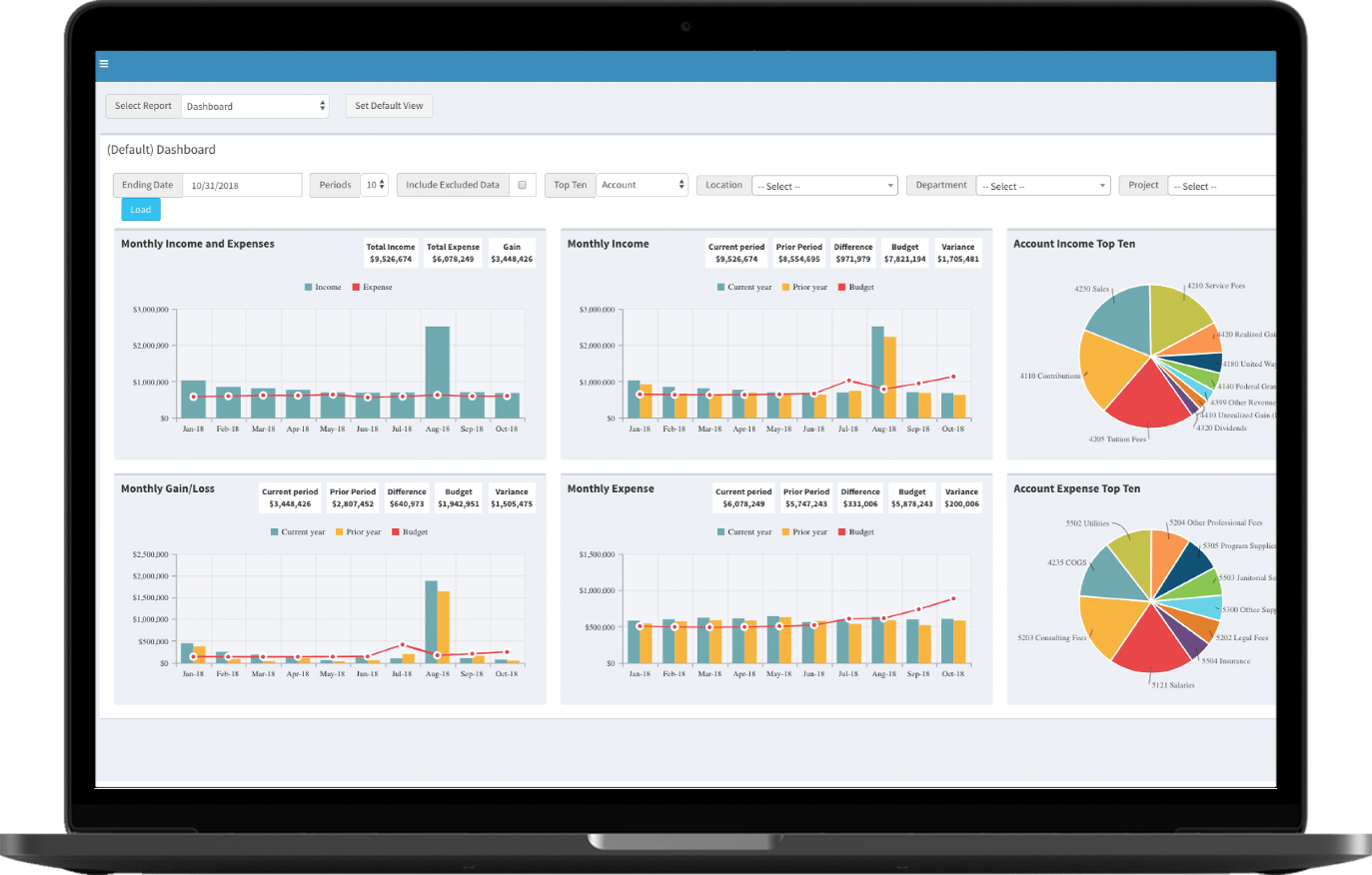
Connecting your budgeting tool directly to your accounting system gives every authorized user live data. When a department head can see budget-to-actuals in real time, they catch variances early instead of discovering significant overruns at the next board meeting.
3. Manual Consolidation Turns Finance Into a Bottleneck
According to Sage's 2025 Nonprofit Technology Impact Report, 41% of nonprofits on legacy financial systems cite manual reporting as a top challenge. When finance has to copy data from dozens of spreadsheets, reformat it, and reconcile discrepancies by hand, every budget cycle takes longer than it should.
Automated roll-ups replace that manual effort. Each department's budget worksheet feeds directly into the organization-wide summary, freeing your finance team to focus on analysis rather than data wrangling.
4. No Defined Approval Workflow Leads to Delays
Without a structured review process, budget submissions sit in inboxes waiting for sign-off. Some departments submit early, others miss deadlines entirely, and finance has no clear way to track which budgets are approved and which are still pending.
A built-in approval workflow routes each submission through the right reviewers automatically. Status indicators show exactly where each department stands, so your CFO or finance director can follow up on stragglers before they delay the entire timeline and push back board presentations.
5. Restricted Funds Get Mixed Into Unrestricted Planning
Nonprofits often manage grants, donor-restricted gifts, and unrestricted revenue in the same budget file. When those fund types are not clearly separated, it becomes easy to overcommit restricted dollars to general operating expenses or undercount the resources available for a specific program.
Purpose-built nonprofit budgeting tools let you tag each line item by fund, grant, or restriction. That separation carries through to forecasting and reporting, so your board and funders see exactly where every dollar is allocated and every grant requirement is met.
6. Forecasting Happens in Isolation, Not as a Team
When only one person owns the forecast, the rest of the leadership team makes decisions without understanding how conditions have shifted since the original budget was approved. That disconnect grows wider throughout the fiscal year and erodes confidence in the numbers your board relies on.
Rolling forecasts that involve department leads alongside finance keep everyone aligned on the latest projections. Tools like scenario planning modules allow your team to model multiple outcomes together, so decisions reflect current reality rather than stale assumptions.
7. Personnel Costs Are Budgeted Without HR Input
Salaries, benefits, and new-hire timing often represent the largest line items in a nonprofit budget. When HR and operations are not part of the planning conversation, finance is left estimating headcount changes, compensation adjustments, and open-position timelines. Every dollar misallocated here is a dollar pulled away from programs.
Dedicated personnel budgeting features let HR and department managers enter staffing plans directly. Those figures roll into the broader budget automatically, reducing the back-and-forth that slows approvals and introducing accuracy where it matters most.
How to Strengthen Your Nonprofit Budgeting Process
Each of the breakdowns above shares a common root: disconnected people working in disconnected tools. Fixing the process starts with centralizing your budgeting environment so every stakeholder contributes in the same place, at the same time, with the same data. That is how your finance team stops managing spreadsheets and starts leading strategically.
Martus connects budgeting, forecasting, and reporting into one platform that integrates with the accounting systems mission-driven organizations already use. With role-based permissions and hierarchical approval workflows, collaboration stays structured without adding complexity.
If your team is spending more time managing spreadsheets than advancing your mission, consider exploring a budgeting approach built for the way nonprofits actually work. Learn how Martus works and see what changes when every department plans from one source of truth.
FAQs About Nonprofit Budget Collaboration
Why does collaborative budgeting fail at nonprofits?
Collaboration fails when departments build budgets in separate spreadsheets without shared access to real-time data. Version confusion, manual consolidation, and missing approval workflows compound the problem.
Centralizing the process in one platform gives every stakeholder a single source of truth.
What is the biggest risk of spreadsheet-based budgeting?
The biggest risk is data inconsistency. When multiple versions circulate, finance teams cannot confirm which numbers are current, leading to errors in board reports and grant submissions.
Automated syncing with your accounting system removes that uncertainty.
How does budgeting software prevent version control issues?
Cloud-based budgeting software stores every worksheet in a single environment with built-in audit trails. Each change is timestamped and attributed to a specific user, so your team always knows who updated what and when.
What role should department heads play in nonprofit budgeting?
Department heads should enter and manage their own budget lines within a structured framework. They understand program-level costs better than anyone and can flag variances early when they have access to current actuals.
How can nonprofits keep restricted and unrestricted funds separate during budgeting?
Tagging each budget line by fund type, grant, or restriction ensures that restricted dollars are allocated only to their intended purpose. Martus Solutions supports fund-level budgeting so your reports reflect accurate fund balances at all times.
When should a nonprofit switch from spreadsheets to budgeting software?
Consider switching when manual consolidation takes more than a few days each cycle, version confusion causes reporting errors, or your organization manages multiple grants and programs simultaneously.
These are signs your process has outgrown what spreadsheets can support.










 Megan Alba